If you just want to change the boot order (i.e. you want to boot from a USB DVD because you are wiping the device and want to install Windows 8, you do NOT need to go into the BIOS, just power up the unit and press the F12 key repeatedly until the boot menu appears.
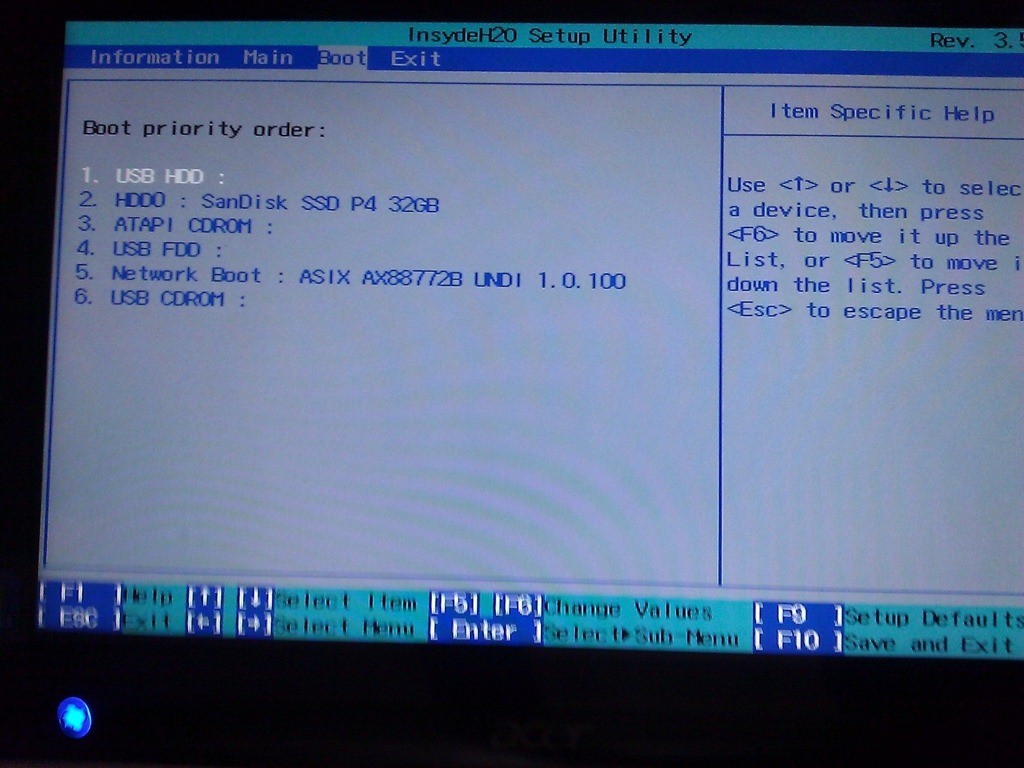 If you do need to access the BIOS:
- Shut Down / Power Down the Iconia Tab
- Hold the WINDOWS button (bottom left) and then hold down the POWER button (top left)
- Press the F2 key repeatedly
- Enjoy the BIOS

2 Comments
iltaf · March 26, 2014 at 2:44 am
Thanks in my case it is working for boot menu.
Thanks again
SOLVED: How to Install Windows 8 on an Acer Iconia Tab W500P or W700P - Up & Running Technologies Calgary · November 30, 2012 at 4:09 pm
[…] Press F12 furiously – see: urtech.ca/2012/11/solved-how-to-access-the-bios-on-an-acer-iconia-tab-w500p-or-w700p/ […]